
📋 Requirements
- SAGTA membership credentials (to log in)
- A browser: Chrome or Firefox (recommended)
1. Log In 🔑
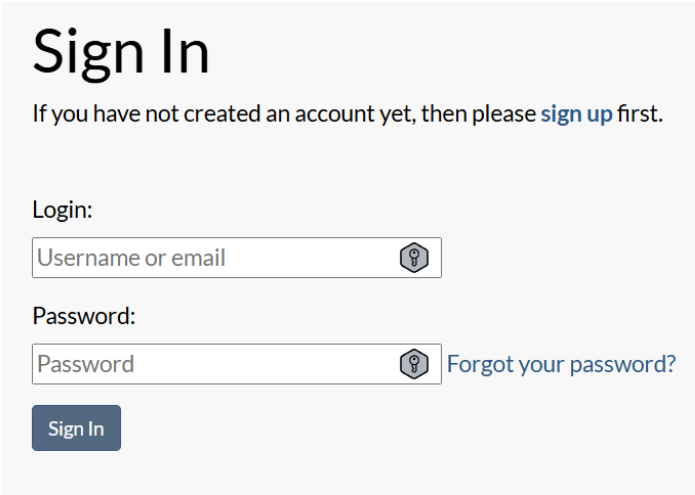
Before you start, make sure you’ve logged into the SAGTA site with your membership credentials.
2. Navigate to the Map Downloader 🔍
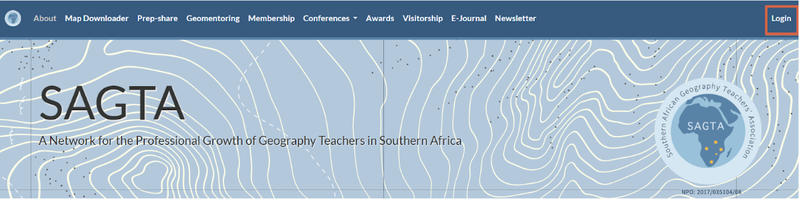
1.On the main SAGTA page, locate the menu bar.
2.Click Map Downloader.

Note: You can also access the Map Downloader from this link: https://maps.sagta.org.za/
3. Access the Map Layouts 📐
1.On the Map Downloader page, click “If you are a SAGTA member, log in here” in the top-right corner.
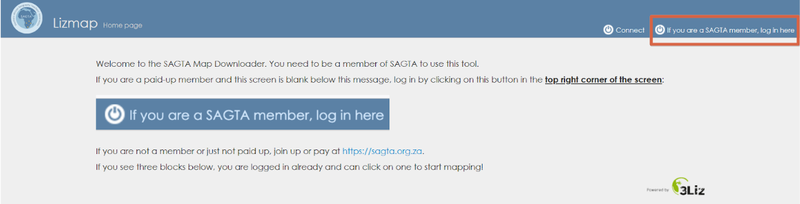
2.You will see five map layouts appear.

4. Load Your Desired Layout 🗂️
- Choose the layout you want (e.g., Topographic).
- Click “Load the map” under that layout.
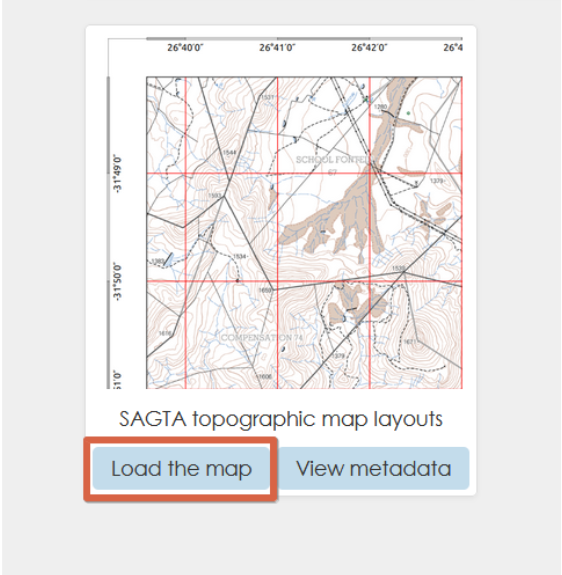
3.Wait a few seconds for the map interface to load.
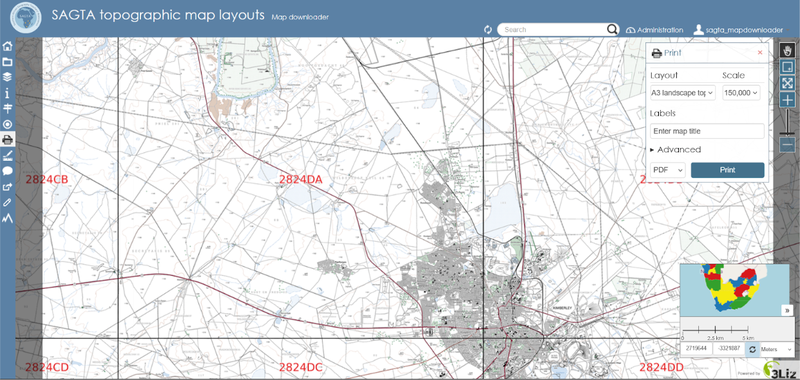
5. Explore the Map Tools 🛠️
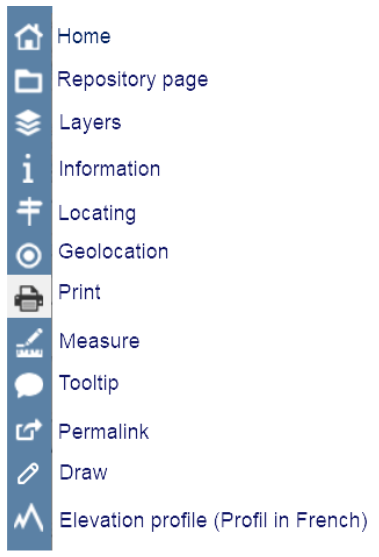
Once loaded, the map will display various tools on the left:
6. Set Up Your Print Parameters 🖨️
We will demonstrate printing from Johannesburg with these settings:
- Paper size: A4 (landscape)
- Scale: 1: 50 000
- Resolution: 300 DPI
- Format: PDF
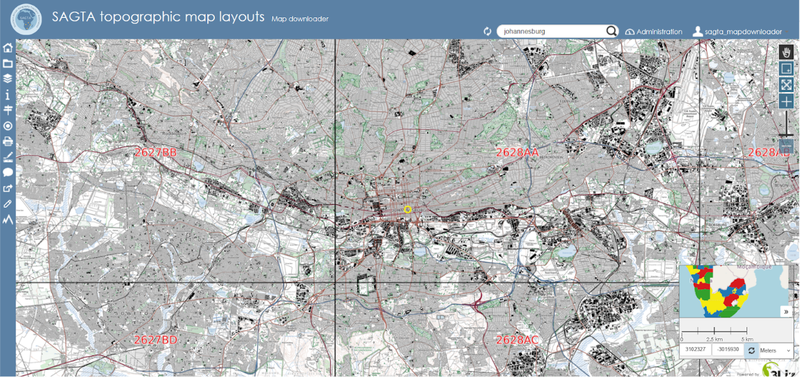
1.Search for “Johannesburg” in the search bar.

2.Select Johannesburg from the suggestions, and the map will navigate to the area searched.
3.Click the Print tool.
4.In the print dialog on the right, configure:
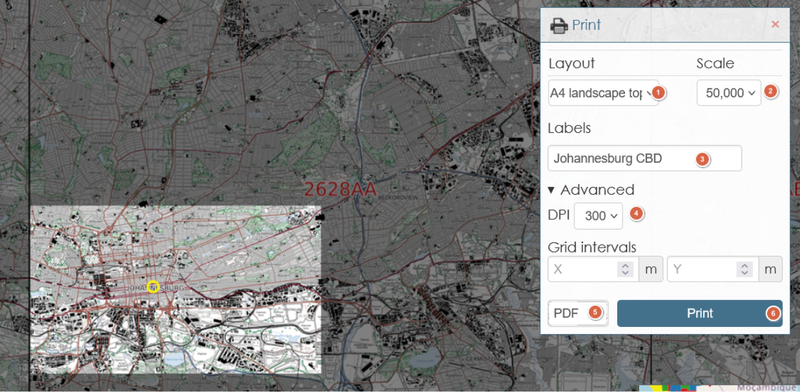
5.(Optional) Drag the selection box to adjust your area of interest.
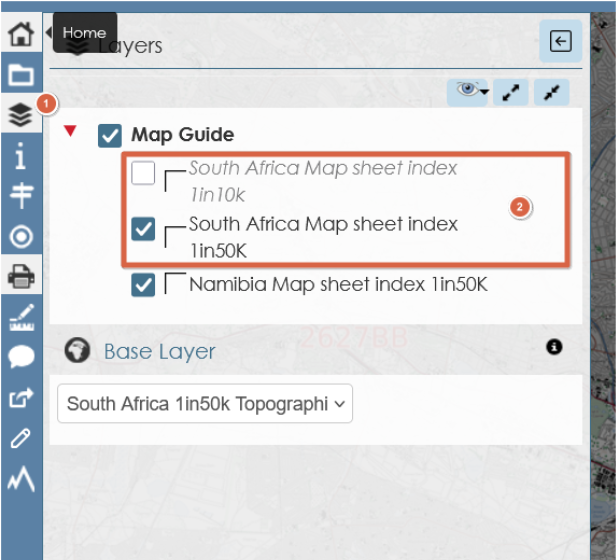
7. Add or Remove Layers 🗺️
- Click the Layers tool to open the layer list.
- Check or uncheck layers (e.g., remove “MAP CODE” or add additional thematic layers).
8. Generate Your Map ✅
- Click “Print” once.
- Allow pop-ups: ensure your browser permits the download tab.
- A “Print started, please wait…” message will appear.

4. After a few seconds, the PDF map will open in a new tab, download or save it, or it will be downloaded automatically.
🔔 Important Memos
- The magnetic declination displayed is valid for 2025.
- Please credit NGI for spatial content and note that the map was generated by Kartoza/SAGTA Map Downloader:
Acknowledgements: Spatial content accessed from NGI; map generated by Kartoza/SAGTA Map Downloader
🎉 Enjoy your SAGTA map!
If you encounter any problems, check your pop-up blocker or internet connection. If the issues persist beyond these, contact SAGTA helpdesk.
Happy mapping! 🗺️✨